Say you've spent the last two weeks grinding through a mobile game and finally cracked the top 10 on the global leaderboard.
The next morning, someone has a score three times higher than yours, and they somehow cleared every level in under a minute. Sure, Jan.

That player probably isn't some gaming prodigy. They're more likely running a modified version of the game that hands them infinite currency, one-hit kills, or a timer that never runs out.
For the studio behind the game, the damage goes past one bad score. When players think others are cheating, they spend less, stop playing, or both. And a cheat that hands out free currency undercuts the in-game purchases a studio depends on.
So how do you know when a player has tampered with your game?
In this post, I'll walk through how cheaters modify Android games, what Google's Play Integrity API catches, where cheaters get around it, and how you can use device intelligence to catch tampered game sessions before they pay off.
How cheaters modify Android games
There are two main ways to cheat in an Android game, and only one of them involves changing the APK (the package file Android uses to install apps).
- The first is repackaging. A cheater decompiles your APK, edits the code or resource files that control things like damage, currency, or cooldowns, and then rebuilds it. Since they don't have your signing key, they re-sign the modified APK with their own certificate before installing it.
- The second approach leaves your APK untouched and changes the game in real time. Frida, a dynamic instrumentation toolkit, lets someone hook into your app's functions at runtime and change what they return. Memory editors take a blunter approach, scanning the game's memory for values like a coin count or score and rewriting them. They typically run on rooted devices or, on unrooted phones, inside an app cloning tool.
So when someone asks how to detect a modified APK, the real question is usually broader.
How do you know a game session hasn't been tampered with, whether the APK has changed or not?
What Google Play Integrity catches
Google's Play Integrity API is the first tool most Android developers reach for here, and for good reason. When your app requests an integrity verdict, Google returns a signed response with details about your app, the player’s device, and the player’s Play account.
Two parts of that verdict line up with the cheating methods above. The app recognition verdict returns UNRECOGNIZED_VERSION when the app's certificate or package name doesn't match Google Play's records, which is exactly what happens when a cheater re-signs a repackaged APK with their own certificate.
The device verdict comes back empty when the device shows signs of API hooking or rooting, or isn't a physical device at all.
If you're not using Play Integrity yet, it's worth adding. But it has a few gaps that cheaters know about:
- It depends on Google Play. Play Integrity only works on devices with the Google Play Store and Google Play services. Players on devices that ship without them, like Huawei phones since the Mate 30 series, can’t get a verdict at all.
- Rooted players spoof the device verdict. Community modules exist specifically to make rooted devices pass Play Integrity checks, in some cases using leaked hardware attestation keys. Google has tightened the rules over time (on Android 13 and higher, device integrity requires hardware-backed proof of a locked bootloader), and the modules keep adapting.
- Google says not to rely on it alone. Its own documentation recommends using Play Integrity alongside other signals as part of a broader anti-abuse strategy.
Detecting the tools behind the cheats
Play Integrity tells you whether your app and the player's device pass Google's integrity checks. Device intelligence answers a different set of questions.
It analyzes device and environment attributes where your app is running, so you can recognize a device when it comes back and spot risk signals such as rooting, emulators, or tampering in real time. That makes it a natural layer on top of Play Integrity.
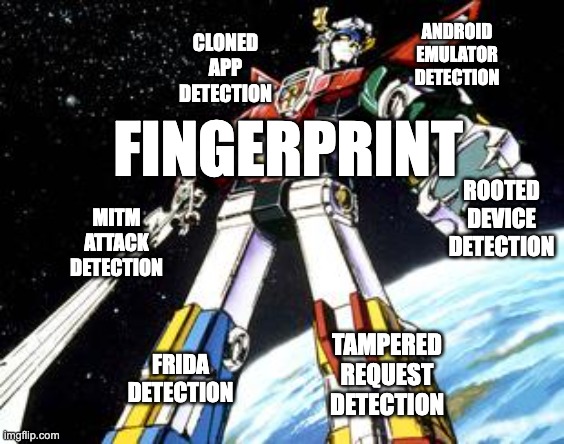
Fingerprint is a device intelligence platform, and on Android, our Smart Signals line up with the cheating methods above:
- Frida Detection flags when Frida is being used to instrument your app at runtime.
- Tampered Request Detection flags identification requests containing device attributes the Fingerprint SDK couldn't have legitimately produced.
- MitM Attack Detection flags when requests from your app to Fingerprint's servers have been intercepted and potentially modified in a man-in-the-middle (MitM) attack.
- Rooted Device Detection flags rooted devices, which is where memory editors and Play Integrity spoofing modules run.
- Cloned App Detection flags when your app is running as a clone on the same device, which is how memory editors work on unrooted phones.
- Android Emulator Detection flags when your game is running in an emulator rather than on a physical device.
Every identification also returns a visitor ID, a stable identifier for the device. On Android, the visitor ID stays the same when a player clears the app's data, uninstalls and reinstalls the game, or clones the app, and can even persist through a factory reset. That's what lets you keep a cheater out after you've caught them once.
How to check for tampering in your game
The best time to check a game session is right before a cheat pays off, like when a player submits a score, claims a reward, or finishes a ranked match.
The flow is the same for any of these sensitive actions: The game requests a Fingerprint identification, sends the result to your server along with the action, and your server decides whether to accept it.
Request an identification before a sensitive action
After you add the Android SDK to your game, request an identification each time a player is about to take a sensitive action. Turn on Sealed Client Results so the SDK returns the full identification event, including Smart Signals, as an encrypted payload. Start the request as early as you can, like as soon as a round ends rather than when the player taps to submit their score.
Send the encrypted result with the action
You might be tempted to identify the device once when the game launches and send that cached visitor ID with every request. The problem is that a modified game can send whatever visitor ID it wants. As we covered in our post on hardening your Fingerprint implementation, an attacker using Frida can hook the methods that call the Fingerprint SDK and force the app to return a forged visitor ID.
Sending a fresh, encrypted identification with each sensitive action avoids that. The game can’t read or modify the encrypted payload, so your server receives the visitor ID directly from Fingerprint rather than trusting whatever the game sends.
Make the call on your server
Anything that runs on the player's device can be tampered with by whoever controls it, so your server should be the one deciding whether an action goes through. Here's an example handler for score submissions, though the same checks apply to rewards, match results, or any other sensitive action:
const { unsealEventsResponse, DecryptionAlgorithm } = require('@fingerprint/node-sdk')

const MAX_EVENT_AGE_MS = 3000

app.post('/api/scores', async (req, res) => {
  const { score, sealed_result } = req.body

  // Decrypt the identification event on your server
  let event
  try {
    event = await unsealEventsResponse(Buffer.from(sealed_result, 'base64'), [
      {
        key: Buffer.from(process.env.BASE64_KEY, 'base64'),
        algorithm: DecryptionAlgorithm.Aes256Gcm,
      },
    ])
  } catch (error) {
    return res.status(403).json({ error: 'Score rejected.' })
  }

  // Reject stale or replayed identification events
  if (Date.now() - event.timestamp > MAX_EVENT_AGE_MS || event.replayed) {
    return res.status(403).json({ error: 'Score rejected.' })
  }

  // Reject event IDs you've already processed
  const [seen] = await db.execute('SELECT 1 FROM fingerprint_events WHERE event_id = ?', [event.event_id])
  if (seen.length > 0) {
    return res.status(403).json({ error: 'Score rejected.' })
  }
  await db.execute('INSERT INTO fingerprint_events (event_id) VALUES (?)', [event.event_id])

  const visitorId = event.identification.visitor_id

  // Reject requests from devices on your cheater blocklist
  const [blocked] = await db.execute('SELECT 1 FROM cheater_blocklist WHERE visitor_id = ?', [visitorId])
  if (blocked.length > 0) {
    return res.status(403).json({ error: 'Score rejected.' })
  }

  // Reject requests from sessions showing signs of active tampering
  if (event.frida || event.tampering || event.mitm_attack) {
    return res.status(403).json({ error: 'Score rejected.' })
  }

  // Hold scores from higher-risk environments for review
  const needsReview = event.root_apps || event.cloned_app || event.emulator
  await db.execute('INSERT INTO scores (visitor_id, score, status) VALUES (?, ?, ?)', [
    visitorId,
    score,
    needsReview ? 'pending_review' : 'accepted',
  ])

  return res.json({ success: true })
})
A few more checks from the hardening post are worth adding on top of this.
Confirm that the IP address in the identification event matches the IP address making the request to your server. If you use the Server API instead of Sealed Client Results, compare the visitor ID the Server API returns with the one your client sent. A mismatch is a strong sign of tampering.
Decide how to respond to risky sessions
Not every signal deserves the same response, so a tiered approach works well:
- Reject the action when you see signals like Frida, a tampered request, a MitM attack, a replayed event, or a stale event. These point to someone actively manipulating your game or the identification request, and legitimate players will rarely trigger them.
- Hold the action for review when the device is rooted, running a cloned app, or running in an emulator. Some legitimate players root their phones or play on PC through an emulator. Google even has a separate verdict label for its own Google Play Games for PC emulator. These signals raise the risk without proving anything on their own, so you could also route these players to separate matchmaking or leaderboards instead.
- Blocklist confirmed cheaters by visitor ID. When a review confirms cheating, add the visitor ID to your blocklist so future requests from that device get rejected automatically. It's the same idea as the offenders list in our guest checkout fraud post, just with game actions instead of e-commerce orders.
And keep validating the game data itself. Device signals tell you about the environment, but a plausibility check, like flagging a level cleared faster than the game physically allows or more currency than a single session could earn, catches cheats that don't leave a trace on the device.
Keep your game fair with Fingerprint
Cheaters will keep finding new ways to cheat, and no single check catches them all. Play Integrity tells you whether your app and the player's device look genuine to Google.
Fingerprint adds visibility into the tools cheaters use, verified on your server, plus a visitor ID that lets you keep confirmed cheaters out. Layer both with checks on the game data itself, and cheating gets a lot harder.
Our Free plan includes 500,000 API calls per month, so you can protect your game or app from cheaters and fraud without spending a dollar. Smart Signals for Android, including every signal covered in this post, are included.
You can sign up to try it out on your own, or reach out to our team to talk through your setup.


